SKU: PR000038383
Equate Infrared No Touch Forehead Body Thermometer,1-second, 3-color backlight,All ages.
-
Available in Stock
$35.48
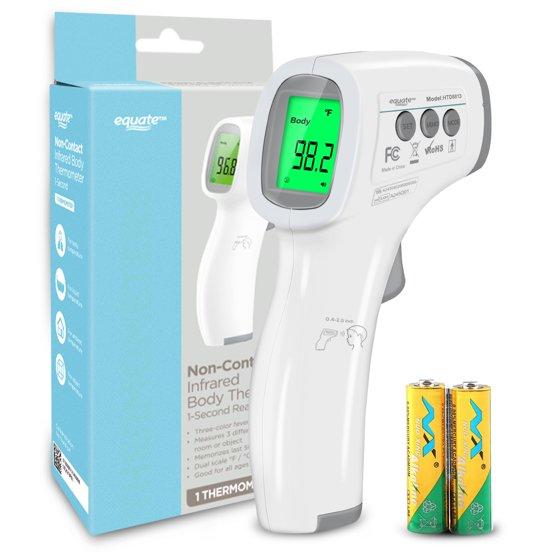
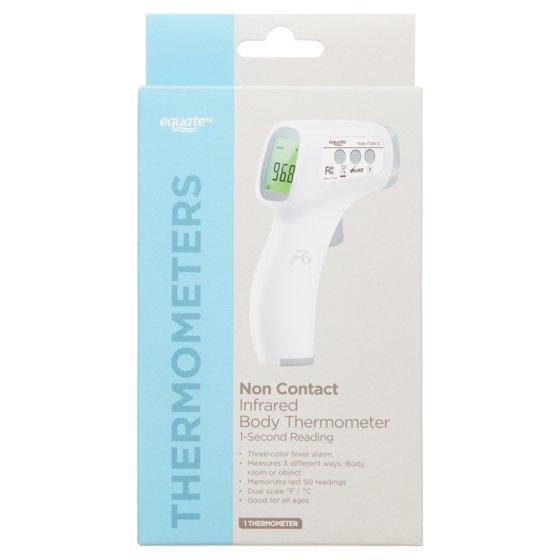
The Equate Non Contact Infrared 1-Second Digital Body Thermometer will give you a fast and accurate reading, making it great for checking for fevers in infants, children, and adults. Recommended for use by all ages, this infrared thermometer features a low battery indicator and simple controls. It has a power-saving LCD display with green / yellow with red three-color fever alarm and memorizes the last 50 readings. This infrared body thermometer measures temperature three different ways: Body, room, or object for food, liquid, and ambient temperature. The Equate Non Contact Infrared 1-Second Digital Body Thermometer makes taking anyone's temperature fast and easy in 1 second.
Making the right health decisions can be challenging. With a complete range of products and simple solutions, Equate allows you to take care of your family with confidence.
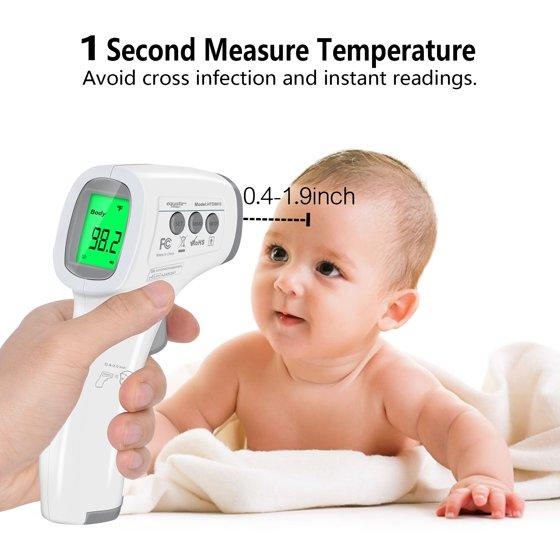
NON CONTACT & SILENT MODE: The measuring distance of no touch thermometer between forehead and temperature sensor is 1-5 cm. Non-contact infrared measurement function don't have to touch skin so it can avoid cross-infection. Take better care of your baby and family health. .
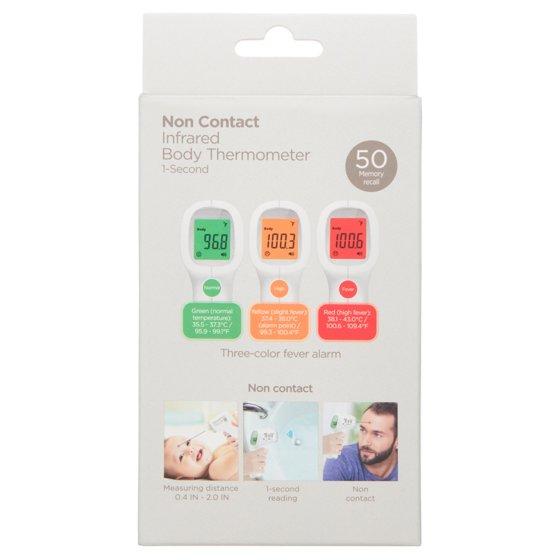
BACKLIGHT FEVER ALARM: The LCD backlight screen of this body thermometer has 3 colors (green/yellow/red) corresponding to different levels of temperature prompts (normal/slight fever/high fever). And it will automatically power off after 18 seconds of inactivity to save battery power. .
INSTANT & ACCURATE READING: 1 second quickly respond by the patented intelligent temperature measurement technology. The instant accurate temperature reading will be displayed on the LCD screen. 50 sets of data can be stored for query. Professional temperature gun provide more reliable data for health monitoring. .
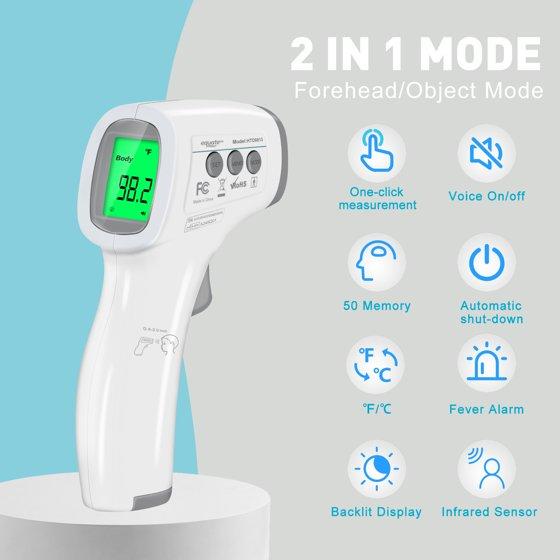
DUAL MODE & TEMPERATURE SWITCHABLE: The infrared medical thermometer is specially designed for babies, adults, and the elderly. And it can be also used to measure room temperature both on solid and liquid, such as baby milk, water, food, etc. You can switch the temperature unit between Celsius and Fahrenheit.
Non-contact (No Touch) infrared forehead thermometer
- Fast readings in 1 second
- Three-color backlight fever alarm (Green for normal, yellow for slight fever, red for high fever)
- Surface mode for food, liquid, and ambient temperature
- Recall of last 50 memories
- Dual scale Celsius/Fahrenheit
- Suitable for all ages, kids and adults
- Measuring distance 1-5cm (0.4-2.0 in)
- LCD display
Medical thermometer type
Result time
Features
Health concern
Ingredient preference
Items included
Product multifunction descriptor
Health monitor feature
Age group
Display
Rec. use
Brand
Power type
Care and maint
Has written warranty
Health Concern
Fever
Instructions
General Setup and Use - ---- Start measuring 1. Turn on the thermometer by pressing the On/measure button. The thermometer will perform self-test with all segments displayed for 2 seconds. 2. Align the thermometer with your forehead to keep the distance, press the On/Measure button to start the measurement, and read the data. Note: 1) After the full display is over, you will hear a rattle or "beep beep beep" three times, which means that the measurements have been completed, while the target value of the measured temperature is displayed on the LCD, while backlight display according to the appropriate setting among the three colors red, green, yellow one of. And the Green means ready for the next measurement. When 37.4℃-38.0℃, it's yellow and means mild fever warning. Please pay attention to body temperature. When the body temperature is above 38.1℃, it's red and means high fever. Please take action to cool down or go to see a doctor. 2) To ensure the accuracy of the measurement, wait at least 30 seconds after 5 consecutive measurements. - Mode conversion: When the device is running, press the MODE button to cycle conversion between "body" mode and "surface" mode. "body" mode is used for measuring human body temperature. "surface " mode is used to measure the surface temperature. (The factory default is "body" mode). - Recalling and Erasing Memory Data: 1) In the boot or shutdown state, short press the MEMO button to view the history of measured values. 2) An empty memory cell shows “---℃” 3) Temperature readings can be stored in memory. Up to 50 temperature readings can be stored in the memory cells and automatically overwrite historical data. 4) In boot mode, press the MEMO button until the LCD display "CLR", which means that all stored data is cleared completely after the long beep, which means that all stored data is cleared completely. - Parameter settings: - Long press the SET button to modify the measurement parameters. 1) Unit Set-F1: Under the boot mode. Long press the SET button to enter F1, press the "MODE" or “MEMO” button to switch Celsius and Fahrenheit temperature units. Press the SET button to confirm the unit settings (the factory default is Fahrenheit). 2) Fever alert set-F2: Under F1 state, press the SET button to enter the F2, press the “MODE” button to decrease 0.1 ℃, press the "MEMO" button plus 0.1 ℃, long press to accelerate the speed of temperature regulation, and finally press the SET button to save. (The factory default is 38.1 ℃) 3) Prompt sound settings-F3: Under F2 state, short press the SET button to enter F3, press the MODE button or MEMO button to set the voice switch, and press the SET button to confirm the settings. (The factory default is the voice Prompt to open). - Prompt sound settings ON/OFF function Under the boot mode, short press the SET button to take on or take off the Prompt sound function. Restore to factory setting function - Under the boot mode, long press the MODE button until the LCD display "rst" Two seconds later, F1-F3 parameters return to the factory setting.
Warranty information
Our company warrants Non Contact Infrared Body Thermometer at the time of its delivery and for the subsequence time period of one year. The warranty does not cover the following: When asked to provide warranty service, you must have a purchase date and purchase stamp dealers (including dealers name and address) of the warranty card. Be sure to ask the dealer to purchase this product signature on the warranty card. When asked to provide warranty service, please put the product to get our distribution points for repair. Products outside the warranty expire will be charged accordingly. The device series number label is torn off or cannot be recognized. Damage to the device resulting from misconnection with other devices. Damage to the device resulting from accidents. Changes performed by users without the prior written authorization of the company. Batteries and packaging are not covered under warranty
Ingestion Hazard
This product contains a battery. Death or serious injury can occur if ingested. A swallowed battery can cause Internal Chemical Burn in as little as 2 hours. Keep new and used batteries OUT OF REACH OF CHILDREN. Seek Immediate medical attention if a battery is suspected to be swallowed or inserted inside any part of the body.
Warning Text
The device should be kept out of the reach of children/pets. When not in use, store the device in a dry room and protect it against extreme moisture, heat, lint, dust and direct sunlight. Never place any heavy objects on the storage case.Do not throw batteries into ire. Only use recommended batteries. Do not use rechargeable batteries.The thermometer is for reference only and cannot replace the clinical diagnosis of the hospital.Do not fall, disassemble or modify the device.Do not use this device if you think it is damaged or notice anything unusual. This device comprises sensitive components and must be treated with caution.Observe the storage and operating conditions described in the ‘Technical Speci ications’ section. Not servicing/maintenance while the thermometer is in use. When using, shall not touch battery and the patient simultaneously. Do not use the device if it is damaged/ degraded/loosened in any way. The continuous use of a damaged unit may cause injury, improper results, or serious danger. Based on the current science and technology, other potential allergic reactions are unknown. This equipment needs to be installed and put into service in accordance with the information provided in the ACCOMPANYING DOCUMENTS.